
Why Milford Has No Jail Roster
Most county inmate sites point you to one sheriff's roster. Milford does not have one. Connecticut closed its county governments to corrections decades ago. In 1968 the state folded every county jail and state prison into a single agency, the Connecticut State Department of Correction. There is no Milford County sheriff, no county jail, and no online city jail booking list. The Milford Police Department handles arrests, reports, and short-term holding, but it does not publish a live inmate roster or a booking gallery.
So how do you find someone after a Milford arrest? You work a channel stack. The local police press feed shows some recent arrests. The Milford Police Records Division holds the full reports. Anyone still in custody after court processing shows up in the state corrections search. The courts track the charges, and separate federal tools cover federal or immigration holds. No single page does all of this, which is why search-engine results promising a "Milford jail roster" point to a system that does not exist here.
Treat each channel as a step, not a substitute. A name missing from one feed may sit in another. The sections below walk each channel in the order that finds people fastest.
Note: Connecticut runs one unified state corrections system, so a Milford arrestee held overnight is tracked by the state, not by any county jail roster.
The Correct Milford Custody Channels
Because there is no roster, the search is a sequence. Run it in order and stop at the channel that answers your question. The first steps cover a recent local arrest. The later steps cover continuing custody, the court case, and federal or immigration holds. Start with what you know about the person and the arrest.
- Check whether the person is still a local police matter at the Milford Police Department.
- Read the Milford Police press releases and arrest log for public arrest summaries.
- Contact Milford Police Records or use the GovQA portal for the full arrest or incident report.
- Search the CT DOC inmate information system for anyone held by Connecticut after arrest or court processing.
- Search the CT Judicial pending criminal lookup for the charges and court dates.
- Register with CT SAVIN through VINELink if you want custody or court notifications.
- Use the BOP, U.S. Marshals, or ICE tools when the facts point to federal or immigration custody.
Most Milford cases resolve in the first four steps. A person released on a promise to appear may never reach state custody at all. Someone held after arraignment usually surfaces in the state search after intake.
Milford Police Arrest Logs
The closest thing Milford has to a public arrest feed is the police press release. The Community Engagement Unit prepares a daily press release, and the department says the Daily Press Release, Arrest Log, and Incident Report are all open for review by press and public. These documents are the first place to look for a recent local arrest. They are summaries, though, not a roster, and they do not list every arrest.
Each arrest-log entry tends to carry the same fields. You will see the incident type, the date and time, the Milford Police report number, the named officer or detective, and the location. The entry then lists the arrestee, the charges in plain language, the bond, the court date, and a short narrative of the allegation. Bond shows as PTA, which means a promise to appear, or as a dollar amount such as $750, $2,500, or $15,000. No booking photo and no booking number appear in the sample release.
The Milford Police Department posts its recent releases in an online archive. You can browse the current year on the Milford Police press release archive page to scan dated entries.
Lead-in to the visual below: the archive opens as a dated list of press releases you can open one by one.
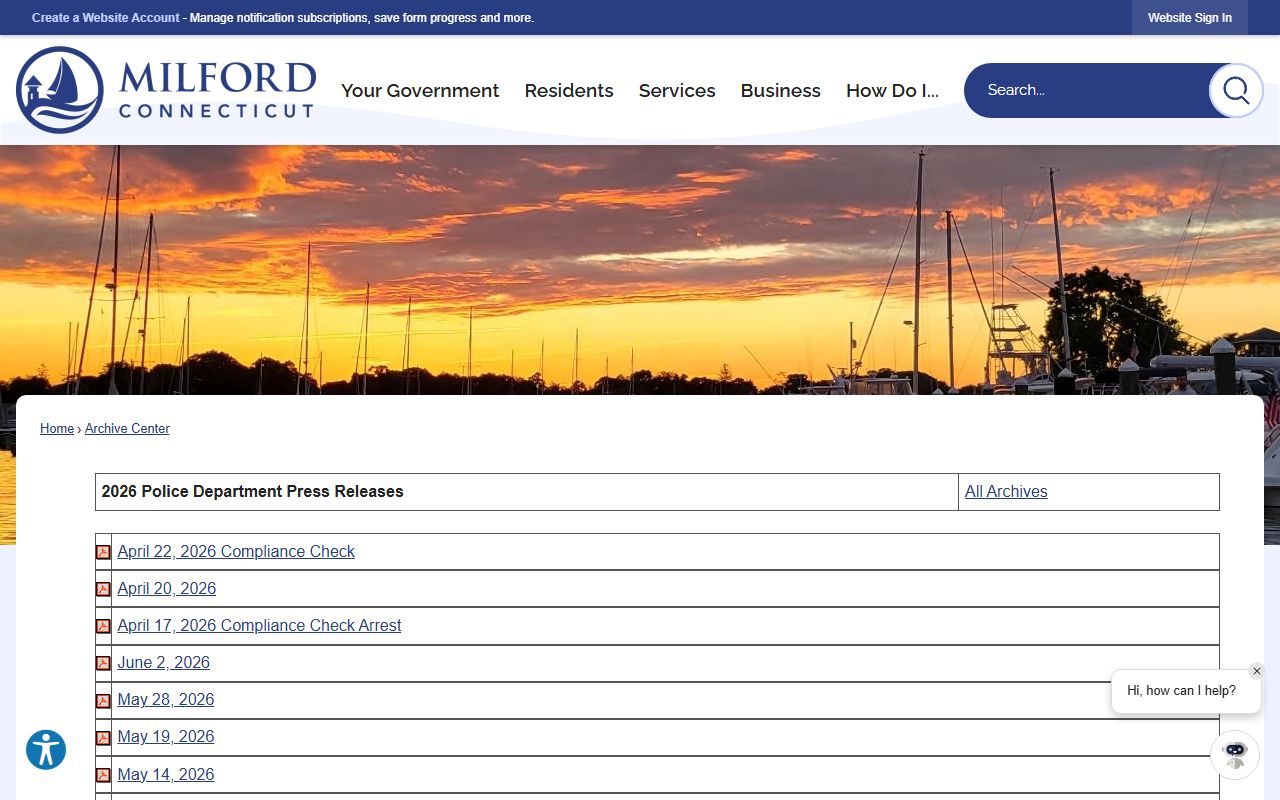
From that list, open a daily release to read the arrest summaries inside it. Keep the cautions in mind. The releases warn that names and addresses may not be accurate at the time of release, and that the feed is not inclusive of all recent events or arrests. A missing name does not prove there was no arrest.
Requesting Milford Police Reports
When the press release is thin or silent, the full record sits with the Milford Police Records Division. You can request an arrest report, an incident report, or a motor vehicle accident report through several channels. There is a fillable PDF form, an online portal, email, mail, and an in-person drop-off. The Records Division answers questions at 203-874-4615 and can confirm whether a record is available before you file.
The public records request form is free to download. You can email a completed request to Records@MilfordCT.gov, mail it to the Records Division at 430 Boston Post Road, Milford, CT 06460, or drop it at the Patrol Division window when Records is closed. The fee is $0.50 per page, and the department asks for prepayment when the estimated charge reaches $10 or more. Records Division hours run Monday through Friday, 9 am to 3 pm, subject to staffing, and the office is closed on weekends and holidays.
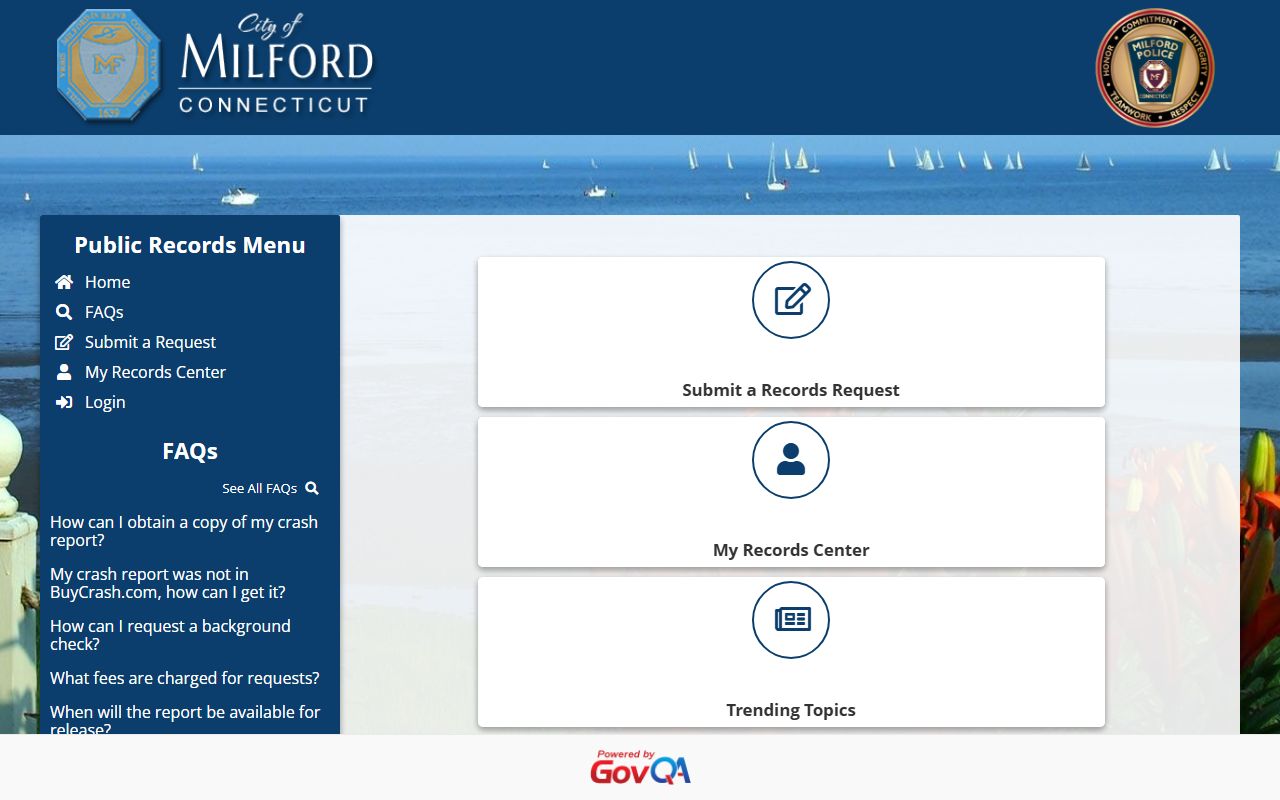
The Milford Police GovQA Public Records Center is the online route. You can open a request, pick a category, and track it through an account.
Lead-in to the visual below: the GovQA support home lays out the request categories and account tools for Milford Police records.
After the portal view, it helps to know exactly what the paper form asks. The table below lists the fields on the Milford Police public records request form.
| Field Label | Type | Required | Notes |
|---|---|---|---|
| Motor vehicle accident copy | Checkbox | Optional | One of three request-type boxes. |
| Incident report copy | Checkbox | Optional | One of three request-type boxes. |
| Other | Checkbox | Optional | For requests outside accident or incident. |
| Case or incident number(s) | Text | Optional | Formats such as 2021-001234 or 21-1234. |
| Names of involved parties | Text | Optional | Include dates of birth if possible. |
| Vehicle information | Text | Optional | Plates, make, model, if relevant. |
| Approximate date and time | Text | Optional | Used when the case number is unknown. |
| Location in Milford | Text | Optional | Used when the case number is unknown. |
| Requester name and contact | Text | Form field | Name, date, phone, and email. |
You can pull the form from the Milford Police records request PDF or start online through the GovQA records center. The Milford Police Department page links both routes.
Searching CT DOC Inmate Records
If a Milford arrestee is not released locally, the next place to look is the Connecticut State Department of Correction. Because Connecticut runs one unified system, the state inmate search holds both pretrial people and sentenced people. The search is free and public. It is populated nightly from the OBIS system, so it is not a minute-by-minute booking feed. A person booked late at night may not appear until the next nightly update.
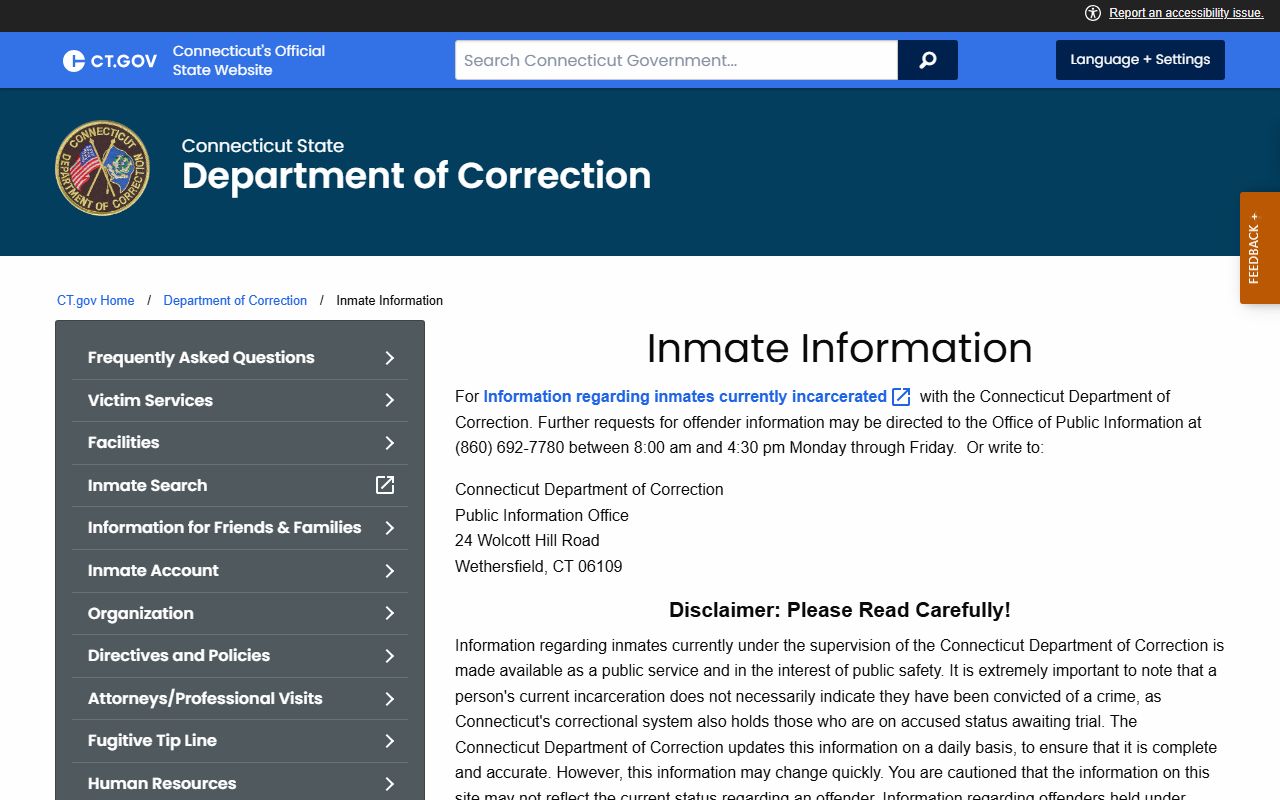
You reach the search through the CT DOC inmate search landing page. The state says citizens can search by CT DOC number, by name, or by date of birth. The search covers people currently incarcerated or supervised by the department. It may include accused-status, pretrial people held in a correctional center. It excludes Youthful Offender records and does not include anyone held on behalf of ICE. The department also cautions that the data may not reflect current status and that release dates can change.
The official CT DOC inmate information page spells out that scope and the daily-update disclaimer in plain terms.
Lead-in to the visual below: the CT DOC inmate information page states the search scope, the daily-update note, and the record exclusions.
With that scope in mind, the search itself takes only a few fields. The table below shows what the CT DOC inmate search accepts.
| Field Label | Type | Required | Notes |
|---|---|---|---|
| CT DOC number | Text | Optional | The inmate number, when you know it. |
| Name | Text | Optional | Search by the inmate name. |
| Date of birth | Date / text | Optional | Format such as MM/DD/YYYY may be used. |
| Search | Button | n/a | Submits the lookup. |
Start with the full legal name and the date of birth. Use the CT DOC number if you have it, since it returns the cleanest match. You can open the search from the CT DOC inmate search page or the direct CT DOC inmate information search. If a result lists Bridgeport Correctional Center, that lines up with the facility serving Milford court matters. A different prison usually signals sentencing, classification, or a transfer.
Note: A person released on a promise to appear may never show in the CT DOC search at all, since the search only covers people still in state custody or supervision.
CT DOC Inmate Record Fields
A state inmate record carries far more detail than a police press release. The Department of Correction describes the fields its public search returns, drawn from the OBIS system that tracks every person in custody. Reading these fields helps you tell a pretrial hold from a sentence and understand when the person may be released.
The record opens with the inmate number, name, and date of birth, which together confirm you have the right person. The custody fields then describe where and why the person is held. The sentencing and release fields apply to people serving a term. A detainer field flags any outside hold, such as one from another agency or from immigration authorities.
| Field | What It Shows |
|---|---|
| Inmate Number | The DOC identifier for the person. |
| Name | The inmate's name on file. |
| Date of Birth | The person's date of birth. |
| Latest Admission Date | The most recent DOC intake date. |
| Current Location | The facility, or a parole office during supervision. |
| Status | The custody or supervision status. |
| Bond Amount | The bond, where it applies to a pretrial hold. |
| Controlling Offense | The principal offense controlling the custody. |
| Date of Sentence | The sentencing date for a sentenced person. |
| Maximum Sentence | The sentence length or maximum. |
| Maximum Release Date | The latest release under sentence calculation. |
| Estimated Release Date | The projected release date, subject to change. |
| Special Parole Date | The special parole date when one applies. |
| Detainer Information | Any outside hold or detainer on file. |
The current-location field can name a parole office rather than a prison when the person is on community supervision. A booking photo is not confirmed in the state search, so do not count on one. If you need a booking photo, the Milford County jail mugshots page explains what is and is not public in Connecticut.
Bridgeport CC, the Milford Court Facility
When a Milford defendant is held pretrial or returns after sentencing, the state facility tied to the Milford Superior Court is Bridgeport Correctional Center. The CT DOC page for the facility lists Milford among the courts it serves, alongside Ansonia, Derby, Bridgeport, Danbury, Norwalk, and Stamford. It is a Level 4 high-security correctional center that holds both pretrial and sentenced people, and it runs a smaller sentenced minimum-security unit as well.
Bridgeport CC is not the Milford Police Department and not the Milford courthouse. Confirm custody in the state search before driving there. Classification and transfers also move people, so a sentenced person may not stay at Bridgeport. Because the state search is statewide, it remains more reliable than checking one facility page. The Bridgeport Correctional Center page covers visiting and contact in full.
Bridgeport Correctional Center
1106 North Avenue
Bridgeport, CT 06604
(475) 225-8000
Visits by pre-scheduled appointment
Milford Police Department
430 Boston Post Road
Milford, CT 06460
203-878-6551
Records 203-874-4615, Mon-Fri 9am-3pm
Court Lookup vs Custody Lookup
Two different systems answer two different questions, and people often confuse them. A custody lookup tells you where a body is held. A court lookup tells you what charges were filed and when the case is heard. After a Milford arrest, you usually need both. The state corrections search handles custody. The Connecticut Judicial Branch handles the case.
The Judicial Branch criminal and motor vehicle lookup lets you search pending cases by defendant. It accepts a last name, a first initial, a birth year, a year range, a court location, and a case category. The court dropdown includes Milford Geographical Area 22 and the Milford Judicial District, so you can narrow to local matters. The court record shows the charges and court dates that custody fields do not. For the full path from arrest to charge, the Milford County court records after a jail arrest page walks the court side in detail.
| Lookup | What It Answers |
|---|---|
| CT DOC inmate search | Where the person is held and the custody status. |
| CT Judicial case lookup | The charges, court location, and court dates. |
Timing differs between the two. Police records may exist before a court case appears online. A case may open in the courts while the person is already out on a promise to appear. You can reach the court tools through the CT Judicial criminal lookup hub and the pending case by defendant search.
Milford Inmate Search Channel Sweep
It helps to see every channel side by side, because each one confirms some facts and misses others. The sweep below pairs a reader goal with the best first channel, what that channel can confirm, what it cannot, and a fallback when it comes up empty. Use it as a map for any Milford custody or arrest question.
| Reader Goal | Best First Channel | Can Confirm | Cannot Confirm | Fallback |
|---|---|---|---|---|
| Find whether Milford Police arrested someone | Milford Police press releases and arrest log archive | Some public arrest summaries, charges, bond or PTA, court date | Not all arrests; no custody roster; no mugshot feed | Milford Police Records, 203-874-4615, or GovQA |
| Confirm whether a person is in state custody | CT DOC inmate information search | Current custody or supervision, location, status, bond amount | Not a minute-by-minute feed; excludes youthful offenders and ICE detainees | DOC Public Information Office, 860-692-7780 |
| Find the court case after a Milford arrest | CT Judicial pending criminal lookup | Pending case by defendant or docket, court location, daily docket | Not all juvenile or youthful-offender matters | GA 22 clerk, prosecutor office, in-person records |
| Receive custody or court notifications | CT SAVIN through VINELink | Notification registration for DOC and court status | Not a replacement for official record copies | Register under both offender tabs |
| Find a federal sentenced inmate | BOP inmate locator | Federal BOP location and release summary | Not state or local custody; no local charges | U.S. Marshals, District of Connecticut |
| Find immigration detention | ICE detainee locator | Current ICE or CBP custody over 48 hours | Under-18 records; exact-name limits; no Milford roster | DRIL 1-888-351-4024 or ERO Hartford |
Read failures with the same care. No result in the press releases can mean no arrest, no public release yet, a confidential matter, or simple delay. No result in the state search can mean the person was released, is still in local processing, or is in federal or immigration custody.
Visiting a Milford-Related Inmate
Once you confirm custody, visiting rules depend on the facility. The Milford Police Department is short-term processing, not a public visiting jail, so do not plan a visit there. State facilities run scheduled in-person and video visits. The two facilities tied to the Milford region set different rules, which matters because older sources sometimes conflict. Bridgeport requires more advance steps than New Haven.
At Bridgeport CC, both the in-person and the video social visit are limited to one per week, and each must be pre-scheduled through a visit request form. A submitted form alone is not enough; the facility must confirm it, and the visitor must already sit on the approved active visiting list. At New Haven CC, in-person social visits run twice a week and no longer need pre-scheduling since December 2, 2024, while the one weekly video visit still needs a request form and confirmation.
| Facility | In-Person | Video | Scheduling |
|---|---|---|---|
| Bridgeport CC | One per week | One per week | Both must be pre-scheduled and confirmed. |
| New Haven CC | Two per week | One per week | In-person no pre-scheduling since Dec 2, 2024; video pre-scheduled. |
Across both facilities, common rules apply. Visitors arrive at least 15 minutes early, carry valid photo identification, and leave cell phones outside. Video visits use Microsoft Teams, are free, and need a valid email, and they are not scheduled until the facility confirms. You can review the statewide rules on the CT DOC visiting page.
Note: A first-time visitor cannot schedule until the inmate adds them to the approved visiting list, so confirm custody and approval before traveling to the facility.
Contacting a Milford-Related Inmate
Mail, money, and phone calls all run through Connecticut DOC rules once a person is in state custody. Correspondence goes to the facility that holds the person, addressed with the inmate's full name, the inmate number, and the facility address. The department discourages padded envelopes and warns correspondents not to share unsafe personal details. Letters and pictures must never travel in the same envelope as money.
Money for an inmate account goes to the Inmate Trust Fund, not directly to the facility. The methods below cover the routes the department lists. Always verify current vendor fees before you send, since those amounts are not published as fixed figures.
| Deposit Method | How It Works |
|---|---|
| U.S. Mail | Money order or certified check to Inmate Trust Fund, P.O. Box 290800, Wethersfield, CT 06129-0800, with the inmate name and number. |
| JPay | Electronic deposit through the official CT DOC inmate account links. |
| TouchPay | Deposit through TouchPay and www.ctdoc.net. |
| Western Union | Pay To Connecticut DOC, Code City CTDOC, account as the 8-digit inmate number plus last name. |
Phone calls run the other direction. Inmates cannot receive incoming calls, a point worth repeating because callers often expect a facility to transfer them. Inmates make outgoing calls through Securus or collect options, and a calling list may hold up to ten numbers. You can review the account and phone rules on the CT DOC inmate accounts page and the inmate phone system page.
CT SAVIN and VINELink Alerts
If your goal is to be told when custody or court status changes rather than to pull a record, register for notifications. Connecticut uses the national victim notification network, branded as CT SAVIN, through VINELink. It can alert you to changes in DOC custody and in court case status. It is a notification tool, not a replacement for the state inmate search or the court lookup.
The service offers separate registration tabs, one for offenders and one for offenders with court cases. The Department of Correction advises registering under both so you receive both corrections and Judicial notifications. You can register at the Connecticut VINELink site or by phone at 1-866-277-7477.
Federal and ICE Inmate Fallbacks
Some Milford-area cases move into federal or immigration custody, and those people will not appear in the state search. Two separate federal tools cover them. The Federal Bureau of Prisons locator covers federal inmates from 1982 to the present, and the ICE detainee locator covers people in immigration custody. Neither one is a Milford roster, but both fill real gaps when local and state channels come up empty.
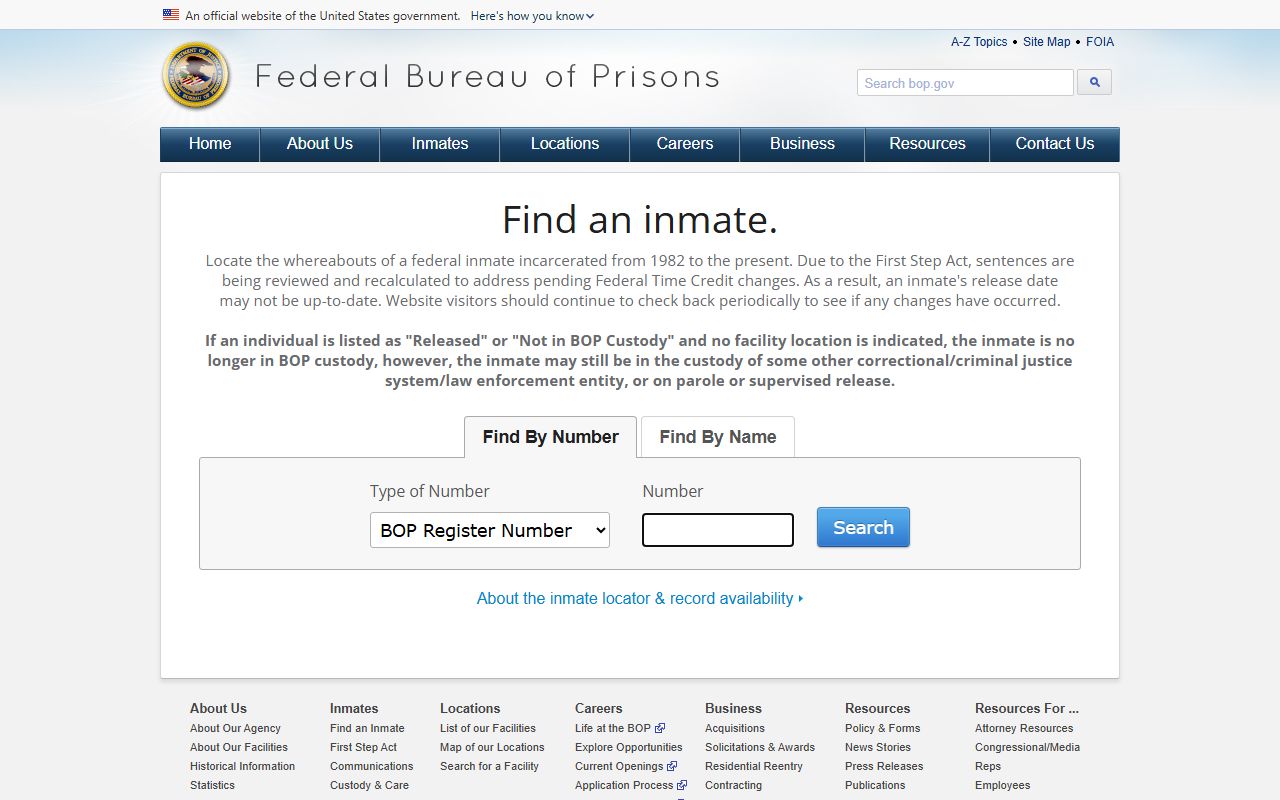
The BOP locator lets you search by a number type, such as a BOP Register Number or FBI Number, or by name with race, age, and sex. The results show name, register number, age, race, sex, release date, and location. The department warns that First Step Act recalculations may leave release dates out of date, and that a "Released" result can still mean the person sits in another system or on supervision.
Lead-in to the visual below: the BOP locator presents its number and name search fields and the result layout.
After the federal prison locator, immigration custody uses a different tool. The ICE Online Detainee Locator System finds a person in ICE custody, or in CBP custody for more than 48 hours, by A-number with country of birth or by exact first and last name. It cannot search records for anyone under 18. Remember that an ICE detainer is not the same as ICE detention; a detainer only asks a local agency to hold and notify, so the locator may show nothing even when a detainer exists. Start at the BOP inmate locator or the ICE detainee locator.
Note: A person arrested on a federal warrant may appear in neither the Milford press releases nor the state search if custody moves quickly to U.S. Marshals or BOP contract custody.
Milford Inmate Record Glossary
A few terms run through every Milford custody and record channel. Knowing them helps you read an arrest log, a state record, and a court entry without guessing. The short definitions below cover the words that come up most when looking up Milford inmate records.
- Promise to Appear (PTA)
- A Connecticut release status that requires a person to appear in court without staying in custody.
- Bond / bail
- Security set to help ensure a defendant returns to court, shown as cash, surety, or a PTA.
- Controlling Offense
- The DOC record field naming the principal offense that controls the custody and sentence.
- Detainer
- A notice or hold from another authority, such as ICE or another agency, asking for continued custody.
- Erasure
- A Connecticut process that treats qualifying criminal records as erased and generally not disclosed.
- Youthful Offender
- A confidential Connecticut court status for qualifying young defendants, excluded from the public inmate search.